


OLX: Compras Online e Vendas
4.41.61K Reviews
App Specs
- Version
- 26.22.0
- Updated On
- License
- Free
- Downloads
- 100,000,000+
- Developer
- OLX Brasil
- Categories
- Shopping
- Platform
- Android
Screenshots




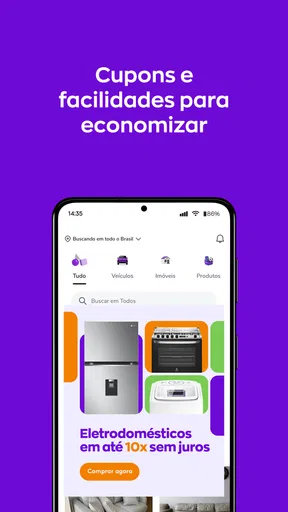
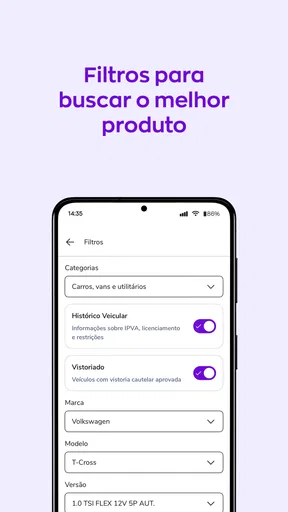

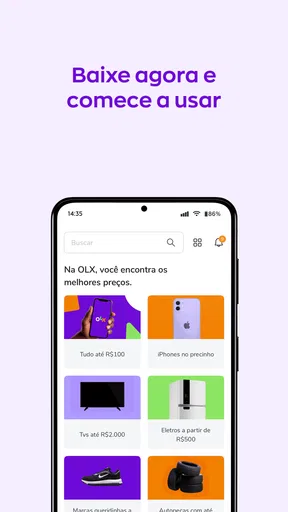
 Analysis by AppCompare
I tend to think of online marketplaces as useful only when the app makes the back-and-forth manageable. With OLX: Compras Online e Vendas, the appeal is that browsing, contacting someone and listing a used item sit in one place. That can make a small task—finding a replacement appliance, selling a bike that no longer gets used, or clearing out a cupboard—feel less like a project. The experience still depends on the listings near you and on how carefully both sides handle a deal, so I would treat it as a practical meeting point rather than a guarantee of a perfect transaction.
Finding your way around the marketplace
OLX is a shopping app from OLX Brasil, built around buying and selling items rather than browsing a conventional catalogue of new goods. I find that distinction important: the same search can bring up different second-hand options, conditions and locations, so comparing individual listings matters more than simply choosing a product variant. Categories help narrow the broad selection, and location filters are especially useful when collecting an item in person is easier than arranging delivery.
For a first search, I would use a specific phrase rather than a broad label. Searching for a particular model, size or accessory can cut down on unrelated results; then I would widen the wording if the local selection is thin. This is a small but useful habit on a marketplace where sellers describe similar things in different ways. Saving a search can also make sense when I am not in a rush: instead of repeatedly checking the same query, I can return to it and watch for a listing that fits.
The interface is described as easy to navigate, but marketplace clarity is not just about menus. The quality of each seller’s photos and description determines how much work the buyer must do. I look for pictures that show wear and the parts that matter, then ask a direct question if an important detail is missing. A listing that gives a clear account of condition is more useful than one with a polished title and little substance.
Using the app with different abilities and routines
Search, category browsing and saved searches can support different browsing styles: someone who knows exactly what they want can begin with a query, while a person exploring options can move through categories. Chat keeps questions and negotiation in the app, which may be easier to follow than switching between several communication channels. Still, I would not assume that every listing is equally easy to understand. Short descriptions, unfamiliar abbreviations and poor photos can create extra effort, particularly for people who need more time or clearer detail before deciding.
There is also a practical difference between reading a listing and completing a deal. Messaging gives buyers and sellers room to clarify details, but typing, keeping track of replies and arranging a meeting all require attention. I would keep messages short and specific, and confirm the item’s condition, location and proposed handover before setting out. Anyone who finds extended typing uncomfortable may prefer to prepare a few questions in advance rather than composing them on the spot.
When OLX fits—and when another route may be easier
I see OLX as a strong fit for people who are open to used goods, local bargains and direct conversations with sellers. It can be handy for clearing household clutter too, especially when an item is useful but no longer needed. A person who wants a standardised checkout, consistent product descriptions and the same return process across purchases may be more comfortable with a conventional retailer or a marketplace focused on new stock. OLX’s flexibility is valuable, but it also means users must assess each deal individually.
Worth Reading Before You Choose

Flipboard Shows What News Apps Must Do Beyond the Feed

Switching to Android Auto Means Rethinking Your Driving Routine

Google Calendar Makes a Crowded Week Easier to Manage

Ludo King Makes the Most of the Minutes Between Plans

Baby Panda World Brings Quick Play to Modern Phones, but Its Game Library Feels Busy

ESPN’s Live Game View Makes Following Close Games Easier
Here is a realistic example: I want to replace a desk chair without buying new. I would search by chair type, filter for a manageable area, compare photos and descriptions, then ask about wear, dimensions and whether the seller can demonstrate that it works as expected. Before travelling, I would agree on a clear meeting plan and recheck that the listing is still available. That workflow takes more initiative than placing a standard online order, but it helps avoid wasting a trip on a chair that does not fit or is no longer for sale.
The same care applies when selling. I would photograph the item in good light, include visible flaws, and write a description that answers the questions I would ask as a buyer. A realistic asking price and a clear pickup arrangement can reduce unproductive messages. If several people contact me, I would keep track of who has agreed to what and avoid treating an inquiry as a confirmed sale until the details are settled.
What is OLX All About?
So, here’s the lowdown on OLX. It’s basically an online marketplace where you can buy and sell just about anything. Whether you’re looking to offload that old guitar gathering dust in your closet or you’re in the market for a second-hand bike, OLX has got you covered. The app is available for both Android and iOS, so no matter what kind of smartphone you’re rocking, you can get in on the action.
Getting Started with OLX
Installing the app is a breeze. Just head over to the Google Play Store or Apple’s App Store, hit download, and you’re good to go. Once you’ve got it installed, setting up an account is pretty straightforward. You can sign up using your email, or make things even easier by linking your Facebook account.
As soon as you’re logged in, the app opens up a world of possibilities. The interface is clean and user-friendly, which is always a win in my book. You can easily navigate through categories like electronics, vehicles, fashion, and more. It’s all laid out in a way that makes browsing feel intuitive and fun.
Buying and Selling Made Easy
Let’s talk about buying first. Searching for items is super easy. Just type what you’re looking for into the search bar, and bam, you’ve got a list of options. You can filter results by price, location, and category, so finding what you need doesn’t feel like searching for a needle in a haystack.
When it comes to selling, OLX makes it just as simple. All you need to do is snap a few photos of the item you’re selling, write a catchy description, set your price, and post it. The app guides you through each step, and you’ll have your listing up in no time. It’s a great way to declutter your home and make a little extra cash on the side.
Features That Stand Out
One of the things I really appreciate about OLX is the chat feature. You can communicate directly with buyers or sellers without leaving the app. This means you can negotiate prices, ask questions, and arrange meet-ups all in one place. It’s convenient and helps keep everything organized.
Another cool feature is the ability to save your favorite searches. This means you can easily keep track of items you’re interested in without having to search for them again and again. Plus, OLX sends you alerts when new listings that match your criteria pop up, so you’re always in the loop.
Security and Support
Security is a biggie when it comes to online transactions, and OLX takes this seriously. They’ve got guidelines and tips to help you have a safe buying and selling experience. While no platform is completely foolproof, OLX does a decent job of making sure you’re not left in the lurch.
If you ever run into issues, OLX offers support through their help center. It’s packed with FAQs and tutorials to help you troubleshoot common problems. And if you need a human touch, you can reach out to their support team directly.
Access in everyday situations
Because OLX is a mobile app, it can be useful when I have a few minutes to check a saved search or reply to a message, rather than being tied to a computer. That convenience does not mean every step is equally comfortable in every setting. Comparing several listings while commuting, for example, can be harder than reviewing them at home, where I can inspect photos carefully and write down questions. I would save decisions about expensive or bulky items for a moment when I can give the details proper attention.
For accessibility in a broader sense, I would judge the experience by the actual task: can I read the listing, understand its condition, contact the person and make a safe plan? The app’s categories and in-app chat help organise those steps, but sellers control much of the information quality. A buyer who relies on precise descriptions may need to ask for clarification rather than assume a listing covers every relevant detail. Someone selling should make the post as readable as possible by separating key facts—condition, dimensions and pickup expectations—in plain language.
Trade-offs worth keeping in mind
OLX is free, which lowers the barrier to trying it, and its broad marketplace can surface items that are difficult to find through a single shop. The trade-off is variability: one seller may answer promptly and provide useful detail, while another listing may leave basic questions unresolved. Unlike buying from a retailer with a uniform product page, here I have to compare the item, the description and the conversation together. That is manageable for patient shoppers, but less appealing if I need a predictable purchase with minimal interaction.
The app is rated for Everyone, and its scale is reflected in an average rating of 4.4 from around 2.3 million ratings, with over 100 million installs. It first appeared on August 8, 2013, and version 26.22.0 requires Android 8.0 or later. Those figures tell me it is a widely used service, not that every transaction will be smooth; a large audience can mean more choice, while the usefulness of a search still depends on what people in a particular area have listed.
A more careful way to use it
For buyers, I would treat a low price as a reason to check details, not as proof of a bargain. Compare similar listings, ask about anything that affects use, and agree on the handover before travelling. For sellers, useful photos and frank descriptions can save time by helping unsuitable buyers decide early. In both cases, keeping the conversation in the app can make the exchange easier to follow, though I would still use good judgement when arranging an in-person meeting or discussing payment.
One question people often have is whether OLX is better for finding the cheapest option or the most convenient one. In my view, it is better for choice and local comparison than guaranteed convenience. If the item is common and I need it quickly, a nearby listing may work well; if it is essential, time-sensitive or difficult to inspect, a retailer with a more standard purchase process may be the safer fit. Another practical question is whether selling takes much effort: posting is straightforward, but replying to questions and arranging collection are part of the job, so it is not entirely hands-off.
My take on who should use it
All in all, OLX: Compras Online e Vendas is a solid choice for anyone looking to dive into the world of online buying and selling. It’s easy to use, packed with features, and makes the process of finding and listing items a breeze. Whether you’re a seasoned seller or a first-time buyer, OLX offers a platform that’s both robust and user-friendly.
I would recommend it most to people who are comfortable comparing individual listings and asking direct questions, and to anyone who wants a practical way to pass useful belongings on to someone else. I would skip it when I need a guaranteed standard of condition, a uniform shopping experience, or a purchase that leaves no room for arranging details with another person. Its strengths are real, but they work best when the user takes an active role.
If you’re ready to explore what OLX has to offer, you can download it from the Google Play Store or the App Store. Happy buying and selling!
Pros
- User-friendly interface simplifies navigation.
- Wide range of categories available.
- Free listings for sellers.
- Built-in chat for easy communication.
- Localized for various regions.
Cons
- Contains occasional spam listings.
- Limited payment protection features.
- Some regions lack active users.
- Ads can be intrusive at times.
- App updates can be slow to roll out.
FAQs for OLX: Compras Online e Vendas
What is OLX and how does it work?
OLX is a popular online marketplace that allows users to buy and sell a wide variety of goods and services. After creating an account, users can post ads for items they want to sell, or browse through listings to find items they want to purchase. The platform facilitates local transactions, making it easy for users to connect and negotiate directly.
Is OLX safe to use for buying and selling items?
OLX takes several measures to ensure a safe experience for its users, including verification processes and a reporting system for suspicious activities. However, users should exercise caution by meeting in public places, verifying items before purchase, and using secure payment methods. Always trust your instincts and report any suspicious behavior.
Are there any fees for using OLX?
Posting ads on OLX is generally free, but there are optional paid features that can enhance visibility, such as promoting an ad to reach more users. These features are not mandatory, and many users successfully buy and sell items without incurring any fees. It's advisable to check the specific terms and conditions in your region.
Can I use OLX without registering for an account?
While browsing listings is possible without an account, creating an account is necessary for posting ads, contacting sellers, and managing your transactions. Registration is quick and usually involves providing basic information like an email address or phone number. Having an account also allows you to save favorite listings and track your activity.
How do I ensure a successful transaction on OLX?
To ensure a successful transaction, clearly describe your item with detailed photos and accurate pricing. Communicate openly with potential buyers or sellers to clarify any doubts. Arrange to meet in a safe, public location to complete the transaction and confirm the item's condition before making a payment. Always prioritize safety and transparency.


